Monday, 12 February 2018

Monday, 22 January 2018
Finished print products JPEG Format
Front, Spine and Back Cover

Inside Panels without CD insert

Inside Panels with CD insert

CD Insert

Advert

Thursday, 18 January 2018

Monday, 15 January 2018
Post-Production feedback


From the feedback we got for our final
music video many people liked the location shots, however they did find the
studio shots of lower quality. They also liked the cuts and transitions from
shot to shot and the movements of the actor were in sync with the music. Someone
did mention how the lip sync might not have been on point at all times.
For my final print products, I asked a few
people through social media to review them for me. They liked most of the edits
of the edits I did on the photos, however they mentioned how the colour scheme
was inconsistent because I decided to add a hint of blue on the inside cover of
the album. They liked the simplicity of the designs but found that it was a bit
crowded on the inside of the album.
Sunday, 14 January 2018
Wednesday, 10 January 2018
experiments with album and advert


For the advert I experimented by creating 2 different types of posters
one was inspired by one of the case studies I did by Jay Park. This is the
first experiment where I printed a black background and the photo I was using
and taped them together using masking tape. I then scanned the image in and
replaced the scanned photo with a digital one as the quality of the image was
quite grainy. For my second experiment I layered the image on top of one
another and used colour dodge on one layer to make the image darker and to
create more shadows. I them add the text and added a drop shadow to the text to
make it stand out more.


For the actual CD I added an image
of the city at first and created white outlines for the CD. I then created the
text in Adobe Illustrator to wrap around the circle by creating a circle in
illustrator and typing on the path of the circle. I exported this to photoshop
and resized it where I place it around the inner circle of the CD. When I added
the CD with the image of the city to my inside inserts I felt like I had used
too much imagery. Therefore, I created the second CD experiment, where I used a
faint dark grey gradient to fit my colour scheme. I kept the white lines and
the text where they were, but this was better as it did not over complicate the
look of my inside inserts.

Here I used the photo I had edited
for the inside insert. At first, I had left the right side a plain grey
gradient, however it looked odd next to the left side insert. So I decided to
make it consistent by adding clouds to the left side panel. I lightened the
images as it was quite dark at first and there were too many shadows, which did
not match the outer cover of the album I had designed.


For the front cover I used the
image I had edited with the clouds. I covered part of his face to make a mood
like he does not care like Jay Park. For the spine I added the company logo and
a CD production number and the artist’s name and title of the album. I added
the track list at the back. I had the back plain at first but thought it was
too plain, so I added a picture of the city without a lowered opacity at softer
light. I added the barcode and the company logo here too.
Tuesday, 9 January 2018

design progress
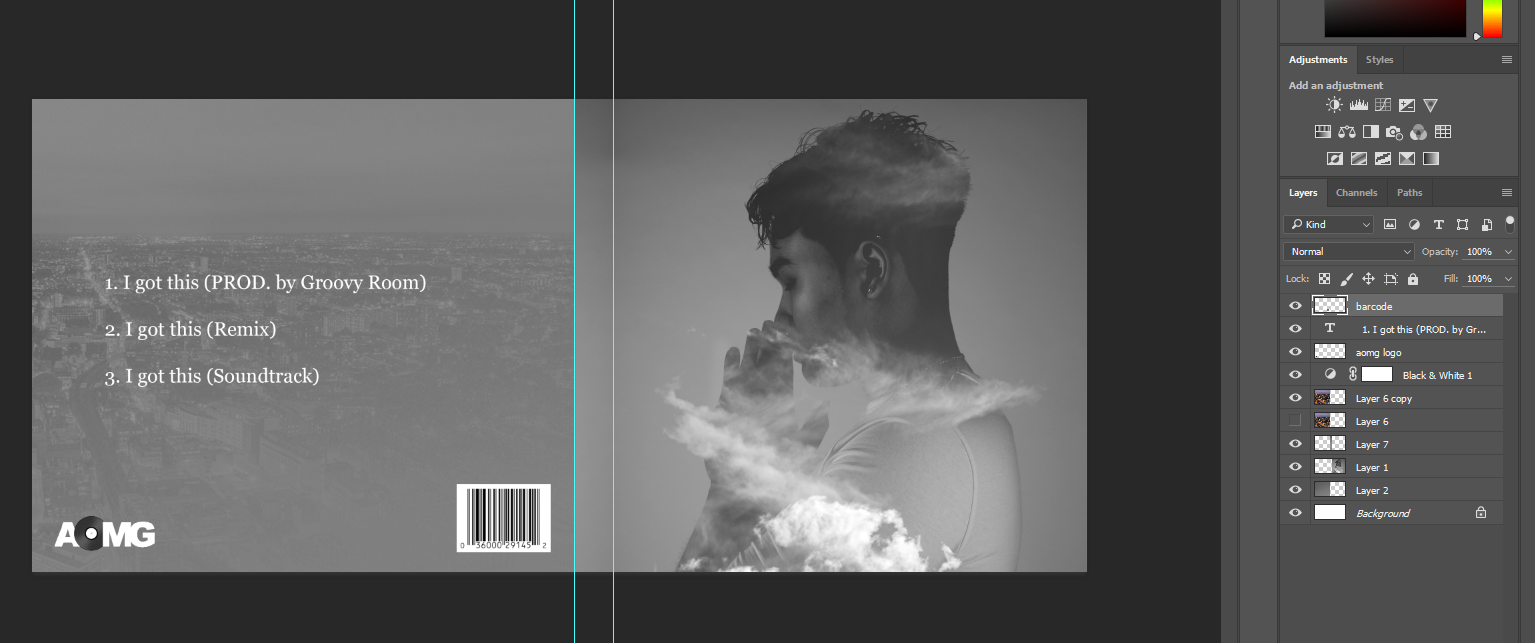
I started deisgned the back of the CD cover with the track list and I added features like the barcode and company logo. I didn't want to add another picture of the artist at the back so I decided to add a picture of the city to link it with the music video.
Monday, 8 January 2018
beginning designs

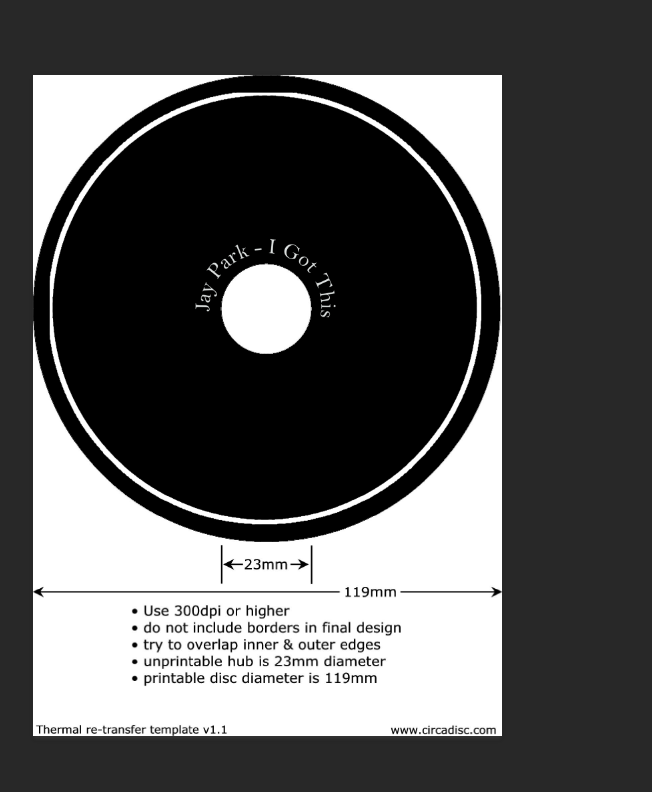
I started designed my CD cover and the inside of the CD and how I wanted it to look. I created the name and title for the inside of the CD in illustrator so that I could get it to curve around the centre of the CD without becoming distorted in photoshop. I then added my edited photo to the front cover of my album and added the name of the artist and the album.
Thursday, 4 January 2018
edited photos for album


On Photoshop I edited the picture I took in the photography studio to use for my album and advert. I added images on top of the photos and pasted into the model's silhouette. I added clouds and buildings to depict London and the cloudy weather of London to link the album with the music video. I changed the contrast and brightness of the photos and added highlights and shadows to certain points in the picture I felt needed to be exaggerated, for example the highlight on the cheek. I added experimented with some of the effects for the photos and tried to add some colour to change it up a bit, as I felt that having it all in black and white made the images too flat not stand out.
photoshop photography pics


On Photoshop I edited the pictures I took at the photography studio. I added more shadows to the image and changed the contrast and saturation. Furthermore I added highlights to certain areas where I wanted to exaggerate the light, like the cheek and the front of the hands.I thought the photo by itself looked quite plain so I added a cloud image on top of the photo. I changed the layer type to lighten and changed the opacity to make it more opaque, so you could still see the model in the picture. I tried the image with the coloured image of the sky and this gave it a bluish hue. I then tried it with just black and white clouds and after I combined them both together.
Subscribe to:
Comments (Atom)
-
 Front, Spine and Back Cover Inside Panels without CD insert Inside Panels with CD insert CD Insert Advert ...
